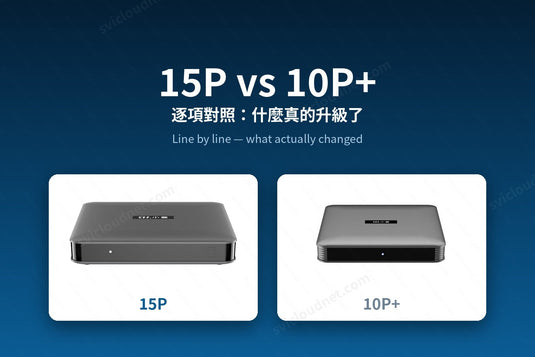
15P 的官方規格已經公布,這篇文章也隨之更新。原本的問題是「應該等 15P 還是買 10P+」;現在 15P 已經上市,並接替 10P+ 成為新一代旗艦(10P+ 將逐步停產、售完為止),問題變成 「這一代實際提升了什麼」。
The 15P's specifications are now official, so this article has been updated. The 15P now succeeds the 10P+ as the current flagship, with the 10P+ being phased out while stocks last — so the question is no longer whether to wait, but what this generation actually improves.
先講結論 / The Short Answer
15P 是一次處理器世代 + 無線網絡 + 播放軟件的升級;記憶體與接口則沿用 10P+ 已經成熟的規格。如果你正準備購入,15P 是現行且會持續獲得支援的型號;如果你手上已有 10P+,播放本機影片檔或家中裝置較多的話,提升會最明顯。
The 15P upgrades the CPU generation, the Wi-Fi radio and the bundled player, and carries over the 10P+'s proven memory and port layout. If you are buying now, the 15P is the current, ongoing model. If you already own a 10P+, local-file users and busy networks will feel the difference most.
逐項對照 / Line by Line
兩邊數字均取自 SVICLOUD 官方規格表。
- 作業系統:15P Android 14 | 10P+ Android 12 AOSP — 升級
- 處理器:15P Amlogic S905Y5 Cortex-A55 | 10P+ Amlogic S905Y4 Cortex-A35 — 升級
- Wi-Fi:15P Wi-Fi 6(802.11ax)| 10P+ Wi-Fi 5(802.11ac)— 升級
- 藍牙:15P 5.4 | 10P+ 5.0 — 升級
- HDR:15P HDR10+/HDR10/HLG | 10P+ HDR10 — 升級
- Filmax 專業播放器:15P 內建 | 10P+ 無 — 升級
- 記憶體 + 儲存:兩者同為 4GB DDR3 + 64GB eMMC — 相同
- GPU:兩者同為 ARM Mali-G31 MP2 — 相同
- HDMI:兩者同為 HDMI 2.1 — 相同
- 光纖 S/PDIF 輸出:兩者均有 — 相同
- 影片解碼上限:兩者同為 4K@60fps — 相同
先講清楚:15P 不是「更大記憶體版」/ Setting Expectations
不少讀者以為新一代旗艦一定會加大記憶體。15P 維持 4GB + 64GB,與 10P+ 相同;HDMI 2.1 與光纖音訊輸出同樣是沿用 10P+ 已有的設計。這些規格在 10P+ 上已經證明足夠,因此新一代把資源投放在處理器世代、Wi-Fi 6 與 Filmax 播放器上。我們寧願你在購買前就清楚知道。
The 15P is not a "more memory" edition: it keeps the 10P+'s 4GB + 64GB, and HDMI 2.1 and optical out carry over rather than being new. Those parts were already sufficient, so this generation's effort went into the processor, Wi-Fi 6 and Filmax. We would rather you know that before you buy.
建議升級的用戶 / Who Should Upgrade
- 會播放自己收藏的 BDMV/ISO 原盤、MKV,或從 NAS/電腦串流本機影片 —— Filmax 是最大的實際差異
- 家中同時連網的裝置很多,高峰時段容易卡頓 —— Wi-Fi 6 有幫助
- 現時使用 9P、9MAX 或更舊型號 —— 跨越兩代以上,升級幅度明顯
- 希望系統平台較新、應用程式相容性壽命較長
如果你已經在用 10P+ / If You Already Own a 10P+
手上的 10P+ 仍然可以正常使用,不必急於在同一星期內更換 —— 但值得知道 10P+ 將逐步停產,15P 是往後獲得支援的型號。以下情況建議優先升級:
- 開始遇到應用程式相容性問題(Android 12 的支援期較短)
- 家中同時上網的裝置增加,高峰時段開始卡頓
- 想播放自己收藏的 BDMV/ISO 原盤或 NAS 影片
- 打算添置第二台,或把舊機轉到其他房間
Your 10P+ keeps working, so there is no need to replace it this week — but it is being phased out, and the 15P is the model that will be supported going forward.
若卡頓是你的主要困擾,先看 電視盒子卡頓的十個常見解決方法 —— 多數情況是網絡或設定問題,換機未必是答案。
If buffering is your main complaint, work through our buffering guide first — most cases are network or configuration issues, and a new box may not be the fix.
再加一項:遙控器 / One More Difference: the Remote
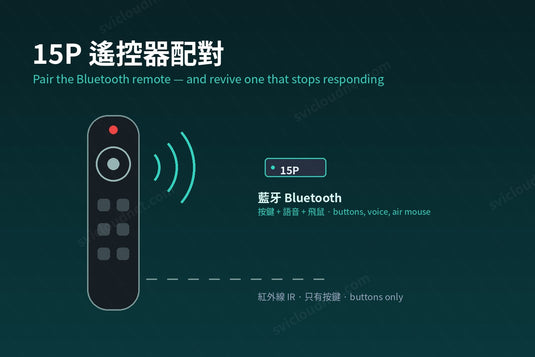
硬件對照以外,兩代的遙控器也不同。15P 隨機附上的遙控器新增飛鼠(指標)功能,可以像滑鼠一樣在畫面上移動游標 —— 在方向鍵不好操作的網頁或應用程式相當實用。10P+ 的遙控器沒有這個功能。
如果你手上已有 10P+ 的遙控器,它可以在 15P 上使用,日常操作與語音搜尋都正常,只是沒有飛鼠。想要飛鼠,就要用 15P 隨機的那一支。
Beyond the hardware table, the remotes differ too. The 15P ships with an air-mouse pointer mode that the 10P+ remote does not have. A 10P+ remote does work on a 15P — normal navigation and voice search are fine — but without the pointer.
延伸閱讀 / Related Reading
支援與教學 / Support & Guides
- 查詢訂單 — Track Your Order(輸入訂單編號即可查看物流狀態 / live carrier status)
- 小雲盒子完整安裝教學 — Complete Setup Guide
- 問題排解 — Troubleshooting
- 產品常見問題 — Product FAQs
- 售後服務與保固 — After-Sales & Warranty