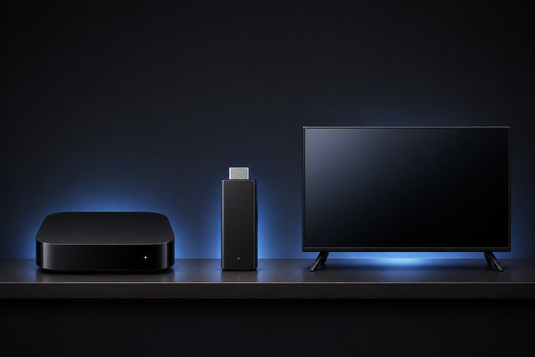
三類裝置解決同一需求 / Three Devices, One Job
電視盒子、串流棒與智能電視內建系統,本質上均為使電視能夠連接網絡並播放內容。三者的分別在於效能、彈性與使用壽命,而這些差異往往在購買一至兩年後才會明顯浮現。
A TV box, a streaming stick, and a smart TV's built-in system all exist to do the same thing. The differences are in performance, flexibility and lifespan — and those usually only become apparent a year or two in.
智能電視內建系統 / Smart TV Built-In Systems
優點:無需額外購買裝置、無需額外接線,單一遙控即可操作。
Pros: nothing extra to buy, no extra cable, one remote.
限制:
- 處理器與記憶體規格通常較低,使用一段時間後反應明顯變慢 / Weaker processor and memory, noticeably slower over time
- 系統更新支援期較短,電視使用至第五、六年時通常已無更新 / Short software support window
- 可安裝的應用程式受電視廠商平台限制 / App availability limited by the manufacturer's platform
- 系統變慢時,往往只能更換整部電視 / Replacing the TV is often the only fix
此點值得強調:電視面板本身可使用十年以上,但內建系統的軟件生命周期通常短得多。
This is worth emphasising: a TV panel can last well over a decade, but its built-in software lifespan is usually far shorter.
串流棒 / Streaming Sticks
優點:體積小巧、價格較低、便於攜帶(適合旅行或酒店使用)。
Pros: compact, inexpensive, portable.
限制:
- 受體積限制,散熱空間有限,長時間使用較易因高溫而降速 / Limited thermal headroom, prone to throttling
- RAM 與儲存空間通常較小 / Typically less RAM and storage
- 接口較少,多數不設乙太網或 USB 擴充 / Few ports — usually no Ethernet or USB expansion
電視盒子 / TV Boxes
優點:
- 處理器與記憶體規格通常最高,多工及長時間使用較為穩定 / Strongest specs, more stable under sustained use
- 機身具備散熱空間,較不易因過熱而降速 / Physical space for cooling
- 接口較齊全(HDMI、USB,部分型號設有乙太網)/ Fuller port selection
- 可安裝應用程式的彈性最高 / Greatest flexibility in what you can install
- 可獨立升級——電視狀況良好時,只需更換盒子即可更新使用體驗 / Independently upgradeable
限制:需額外一件裝置及一條 HDMI 線,成本較串流棒為高。
Cons: one more device and cable, and a higher cost than a stick.
選購建議 / Practical Recommendations
-
電視較新、系統反應快、應用程式齊備 → 暫時無需額外加裝盒子。
New TV with a fast system → you probably don't need a box yet. -
經常外遊、需要輕便裝置 → 串流棒或已足夠。
Travelling often → a stick may be enough. -
電視畫質良好但系統緩慢或已停止更新 → 電視盒子為最具成本效益的升級方式,無需更換電視。
Good panel but slow software → a TV box is the most cost-effective upgrade. -
需要多工處理、彈性及較長使用年期 → 選擇電視盒子。
Multitasking, flexibility, longevity → a TV box.
如需比較不同型號的規格與定位,請參閱 RAM 與儲存空間選購指南,或瀏覽 全部 SVICLOUD 型號。
To compare specs across models, see our RAM and storage guide, or browse all SVICLOUD models.
延伸閱讀 / Related Reading
支援與教學 / Support & Guides
- 查詢訂單 — Track Your Order(輸入訂單編號即可查看物流狀態 / live carrier status)
- 小雲盒子完整安裝教學 — Complete Setup Guide
- 問題排解 — Troubleshooting
- 技術規格與功能 — Technical Specs & Features
- 產品常見問題 — Product FAQs
- 售後服務與保固 — After-Sales & Warranty